Match pairs2 min read
Convert Your PDF into a Match Pairs Activity with to-teach.ai
Transform any PDF into a dynamic Match Pairs exercise, helping students connect terms and concepts for better knowledge retention.
Create it with to teach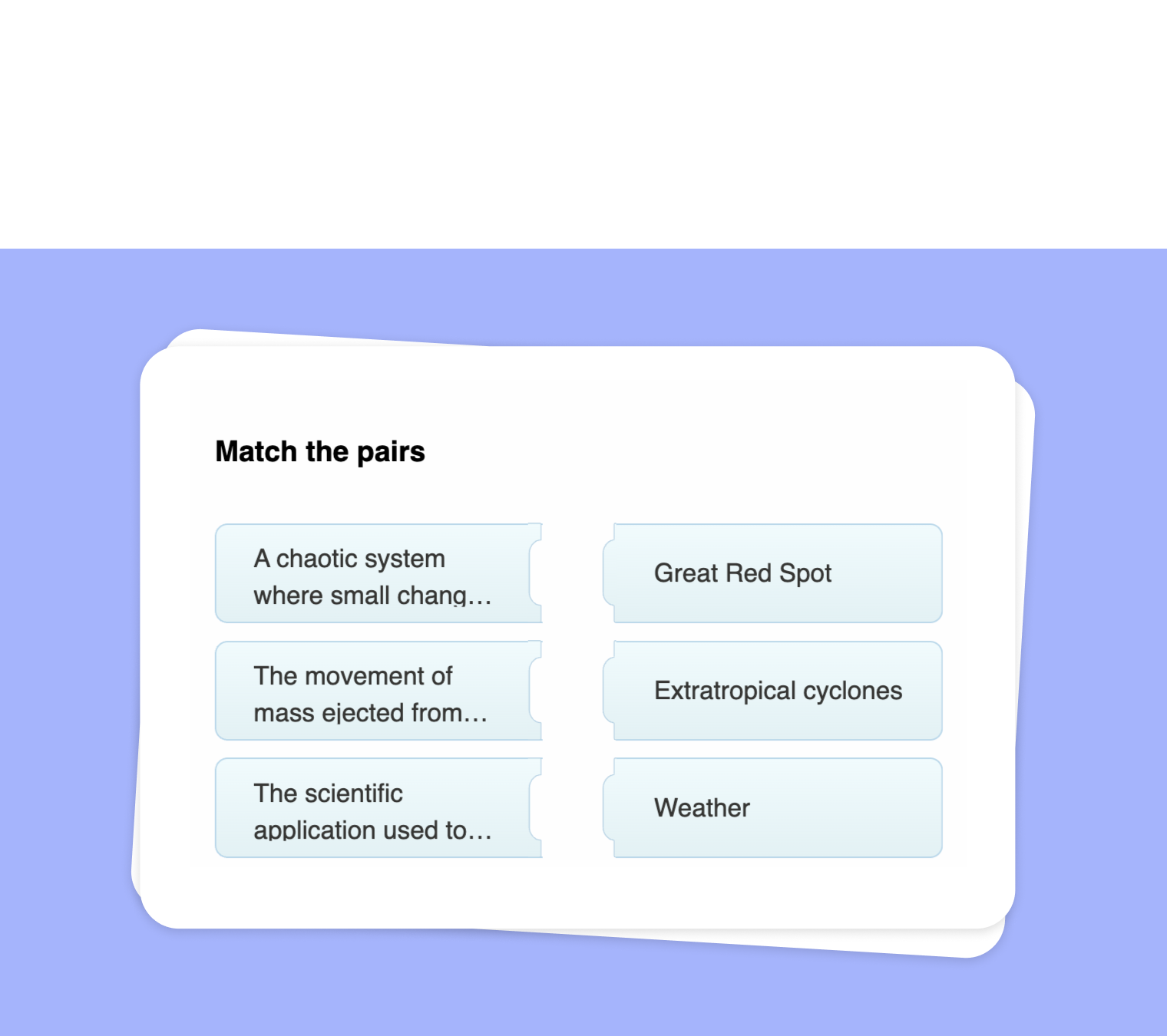
In this article
Do you have a PDF loaded with important terminology, dates, or vocabulary? Turn it into an engaging Match Pairs activity using to-teach.ai. Whether it involves matching vocabulary with definitions, places with historical events, or chemical elements with their properties, this approach encourages active learning and lets students practice essential concepts in a fun, interactive way.
Why Convert Your PDF Content into a Match Pairs Exercise?
Boost Engagement
Students remain more focused when they need to match pairs, injecting a game-like element into everyday lessons.Promote Active Recall
Matching terms with their definitions forces learners to recall information, strengthening memory and understanding.Adapt to Any Topic
From language studies to science, any subject can benefit from Match Pair exercises. All you need is relevant content from your PDF.Efficient Assessment
Quickly identify areas where students struggle. With immediate AI-powered evaluations, you can fine-tune your teaching in real time.User-Friendly Creation
Our platform guides you through the process of extracting key points from your PDF and converting them into pairs, without any technical expertise needed.
Getting Started
Upload Your PDF
Log in to to-teach.ai and upload your PDF. The system will process your file, making it easy to extract important terms or concepts.Identify Key Concepts
Highlight terms, events, definitions, or names in your document that you want students to pair.Generate Match Pairs
Let our AI feature suggest possible pairs based on your text. Fine-tune the suggestions, then click to create your interactive activity.Customize for Your Class
Modify the difficulty level or focus area. You can incorporate visual elements or brief hints to keep it engaging.Assign and Track Progress
Share your assignment with students. Track their performance and identify where additional help might be needed.
Frequently Asked Questions (FAQ)
How can I upload and prepare my PDF for a Match Pairs activity?
Simply log in to to-teach.ai, select the PDF you want to work with, and let our AI guide you through identifying and pairing key content.Does the platform automatically create pairs based on my PDF’s content?
Our AI can suggest pairs after analyzing the text, but you have full control to edit or add your own pairs, ensuring they align perfectly with your lesson plan.Can this tool handle different languages or specialized subjects?
Yes. Whether it’s a language class, scientific field, or historical topic, to-teach.ai parses various types of content and tailors the pairing activity accordingly.How do I ensure the pairs are challenging enough for my students?
You can adjust difficulty by selecting more advanced terms or introducing subtle differences in the pairs, pushing students to think critically.Is it possible to track student performance on each Match Pairs exercise?
Absolutely. The platform provides automatic tracking and scoring, so you can quickly identify areas of success and where students may need extra support.
Match pairs
From your own text, a PDF, a YouTube video, a website or an image.
Create it with to teachMore guides
Turn Your Text into a Match Pairs Task
Transform your own text into a Match Pairs task that encourages active engagement. Whether you're matching key terms, synonyms, or historical figures, this format promotes deeper understanding in a visually interactive way.
Match pairsExtract Text from Websites and Create a Match Pairs Exercise
Seamlessly extract text from websites and transform it into an engaging Match Pairs exercise. Encourage students to correctly pair terms, definitions, names, or concepts—perfect for vocabulary building, concept reinforcement, and interactive learning.
Match pairsUse Audio File to Create Match Pairs
Transform any audio file into a Match Pairs task, empowering students to connect key terms, concepts, or names with their correct partners in an interactive quiz format.
Match pairs