Mindmap2 min read
Transform Scraped Website Text into a Mindmap
Create a mindmap as a template for your lesson or use it as a picture in a presentation or for worksheets, streamlining concept visualization and creativity.
Create it with to teach
Do you want a quick and effective way to capture online content for your lessons, then visualize it for your students? With to-teach.ai, you can easily scrape text from websites and transform it into a dynamic Mindmap. Organizing information in a visual manner fosters better comprehension and creativity, whether you use it as a lesson template, a handout, or embed it into your presentations.
Why Create a Mindmap from Scraped Website Text?
Simplify Complex Topics
Turning lengthy articles or website content into a concise Mindmap helps students grasp main points faster.Interactive and Engaging
A Mindmap is a visually stimulating approach that captures students’ attention, spurring curiosity and deeper learning.Enhance Memory Retention
Students are more likely to remember key concepts when they are represented in a structured, interconnected diagram.Versatile Teaching Tool
Use the Mindmap as a digital resource or print it for worksheets, adapting to different classroom settings.Streamlined Workflow
Instead of copying and pasting large chunks of text, let to-teach.ai scrape relevant information directly, then convert it into a well-organized Mindmap.
Getting Started
Simply select the “scrape” function in to-teach.ai to gather text from your chosen website. Then opt for the “Mindmap” feature and watch as our AI automatically highlights the most important ideas and organizes them into a clear visual format. In no time, you have a ready-to-use resource adaptable to any educational setting.
Frequently Asked Questions (FAQ)
How do I turn scraped website texts into a Mindmap?
With to-teach.ai, first scrape the content from a website, then choose the Mindmap feature. Our AI arranges the key points into a visual map, saving you time and effort.Can I customize the layout of the Mindmap?
Yes. After generating your Mindmap, you can rearrange nodes, rename labels, or add extra details to suit your lesson’s needs.What if the text I scrape is very long or contains unnecessary information?
Our AI sifts through the content to identify important concepts. You can also manually edit or remove unneeded sections before finalizing the Mindmap.Can I share the Mindmap with my students in different formats?
Absolutely. You can download or embed the Mindmap as an image or integrated component in presentations, documents, or worksheets.Is this tool suitable for both elementary and advanced levels?
Definitely. You can adapt the depth of the Mindmap for younger learners or go more in-depth for high school or university-level material.
More guides
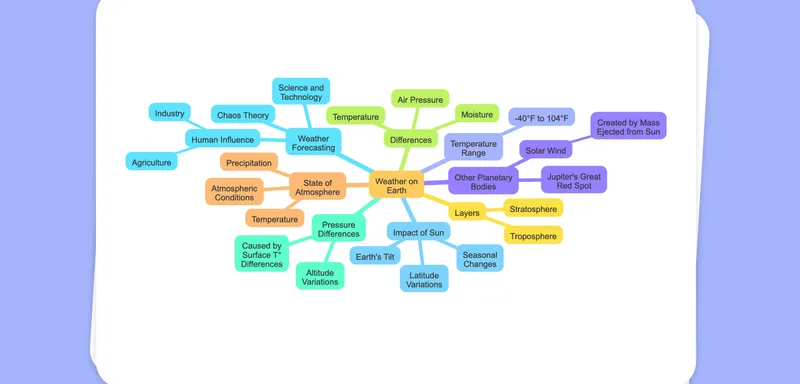
Turn Your Image into a Mindmap
Create a mindmap as a template for your lesson or use it as a picture in a presentation or for worksheets, offering a highly visual format to map out ideas and concepts drawn from any image.
MindmapExtract Text from Images to a Mindmap
Effortlessly extract text from images with OCR and transform the content into a structured mindmap for clear visual organization and enhanced learning experiences.
MindmapTurn Your PDF into a Mindmap
Easily transform any PDF document into an interactive mindmap, perfect for lesson planning or as a visual aid in presentations and worksheets.
Mindmap