
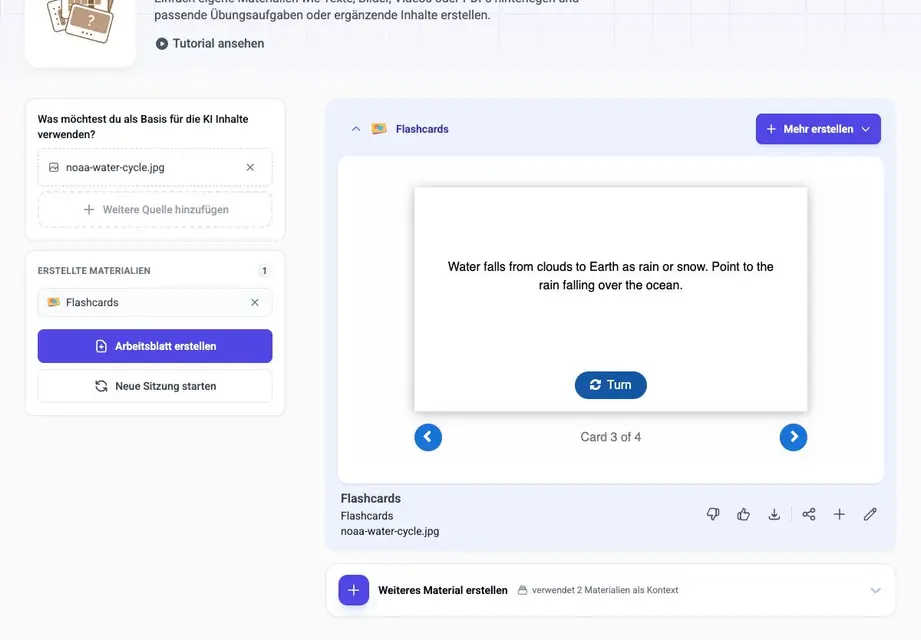
Create flashcards from an image: use a diagram as the source
To create flashcards from a labelled diagram in to teach, choose Image as the source, upload the picture, select Flashcards and specify the concepts your class needs. Keep the diagram beside the cards: pupils should explain a term and locate its example in the picture, rather than memorise a definition without its context.
Four cards from a water-cycle diagram
Try the four diagram-based flashcards
The example uses an existing NOAA water-cycle diagram and focuses on four processes: evaporation, condensation, precipitation and transpiration. The full image contains many more labels. Selecting four keeps this activity centred on water changing state, falling from clouds and leaving plants.
Open the exact water-cycle diagram used for these cards
The diagram’s groundwater caption contains an error: groundwater is liquid water below the ground, not water vapor. Correct that caption with the class if you display the whole image; groundwater is not part of this four-card set.
The set gives short explanations of the four processes. The precipitation card also asks pupils to point to rain over the ocean. Add the same task when using the other cards: locate evaporation above the ocean, condensation by the clouds and transpiration above the tall tree. Keep these teacher prompts alongside the diagram.
What the cards say
Evaporation
The process where liquid water changes into water vapor (gas).
Condensation
The process where water vapor (gas) changes into water droplets (liquid).
Precipitation
Water falls from clouds to Earth as rain or snow. Point to the rain falling over the ocean.
Transpiration
Evaporation of liquid water from plants and trees into the atmosphere.
Upload the picture, then set the task
Open Flashcards and use the source control to add material. Choose Image, not Text from image, when the position of labels, arrows or objects matters. Upload the picture and save the source. For this example, the output language was English, the difficulty was Easy and the card count was four.
In the task instructions, name the four processes and ask for a short explanation plus a place to point in the picture. Keep the liquid-to-gas change in evaporation and the gas-to-liquid change in condensation explicit. Leave the other processes out of this first set.
The image-inclusion option was left off for this example. The resulting cards contain text; they do not repeat the whole diagram on each card. Display the original separately so pupils can see the labels at a useful size.
Check the explanation as well as the picture reference
Read both sides of every card before using the set. A useful explanation needs to preserve the relationship in the source: evaporation and condensation are opposite state changes. “Water goes up” and “water comes down” would miss that distinction.
An arrow is a way to locate the label, not a complete scientific explanation. For condensation, ask pupils to say “gas to liquid” before they point to the cloud. For precipitation, use the rain falling over the ocean: snow already lying on a mountain does not show water falling. That makes the picture reference specific.
Use the cards with the diagram
Give partners the diagram and show a card front. One pupil explains the term, the other points to the relevant place. Turn the card over, compare the explanation and swap roles. Accept a pupil’s own accurate wording; the back is a model answer, not a script they must reproduce word for word.
After the four cards, ask pupils to connect two processes: how does evaporation differ from condensation? Then connect transpiration to the tree in the image. These questions bring the separate terms back into a connected account of the diagram.
Keep this image workflow separate from scanning a page of notes. For printed paragraphs, Text from image lets you work from the extracted wording. For diagrams, check what the picture shows and what the generated explanation adds. Choose the source mode around the task pupils will actually perform.
Bereit, diese Idee in eigenes Unterrichtsmaterial umzusetzen?
Schließe dich tausenden Lehrkräften an und bereite deinen Unterricht mit KI schneller, differenzierter und kreativer vor.
DSGVO-konform · In 30 Sek. startklar · Keine Kreditkarte nötig
Du interessierst dich für eine Schullizenz? Beratungsgespräch vereinbaren