Emojify2 min read
Extract Text from Websites and Emojify It
Easily scrape website text and instantly transform it into engaging, emoji-rich content for improved comprehension.
Create it with to teach
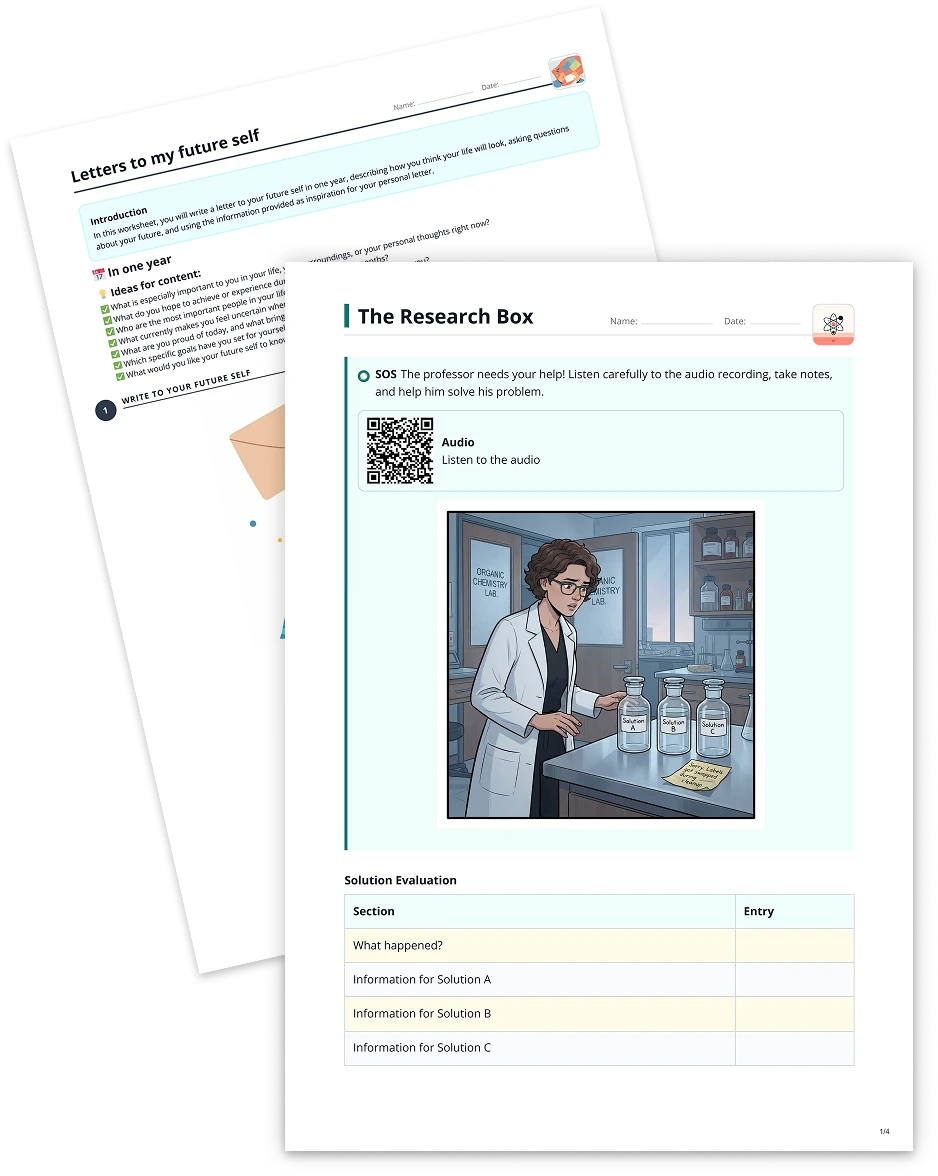
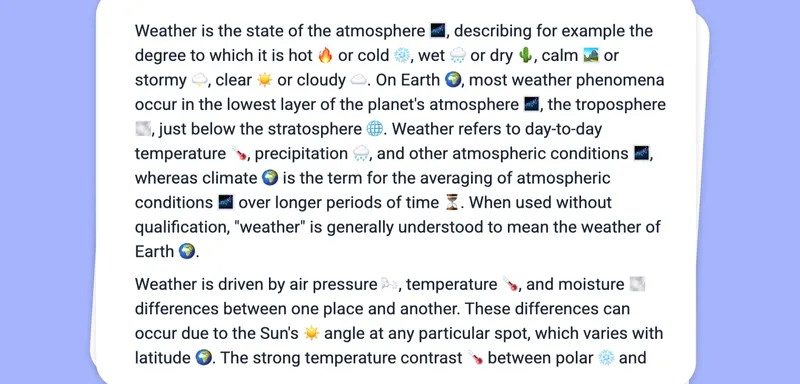
Collecting text from various websites is a great way to gather learning materials, but plain text can sometimes feel uninteresting or overwhelming. With to-teach.ai, you can seamlessly extract text from websites and then automatically 'Emojify' it. By incorporating emojis, you enhance readability, spark curiosity, and help students better grasp the concepts being discussed.
Why Emojify Your Web-Scraped Text?
Boost Engagement
Emojis add a visual layer that draws attention and keeps students more focused on the material.Simplify Complex Concepts
Well-placed emojis reinforce meanings, helping learners decode and retain information more effectively.Create a Fun Learning Atmosphere
By weaving in relatable emojis, you bring a friendly tone to challenging content, encouraging students to stay tuned in.Universal Visual Cues
Emojis can break language barriers, aiding learners of different language proficiencies in understanding the context.
How Does It Work?
Paste or Scrape
Begin by entering the URL of the website you wish to scrape. to-teach.ai automatically extracts the text for you.Apply Emojis
Use our AI-driven 'Emojify' function to automatically insert emojis that reflect keywords, mood, or style.Review and Refine
Customize the emoji selection or tweak the text as you see fit. You have full control over the final outcome.Finalize and Share
Download the enriched text or share it directly within your classroom materials, lesson plans, or digital platforms.
Getting Started
Head over to the to-teach.ai platform to try it out right now. Our interactive walkthrough will guide you in scraping valid text from websites, selecting the right emojis for your learning objectives, and tailoring the content to your students’ unique needs.
Happy teaching and emojifying!
Frequently Asked Questions (FAQ)
Do I need any coding skills to scrape text from websites?
Not at all. to-teach.ai’s user-friendly interface ensures that with just a couple of clicks, you can extract text without any technical background.Can I choose specific emojis for certain terms or topics?
Absolutely. While our AI automates much of the emoji insertion, you can always override suggestions or manually assign your own to best match your lesson goals.Is there a word limit for the ‘Emojify’ feature?
We aim to accommodate both short snippets and longer texts. If you come across any limitations, you can break down large texts into smaller sections and emojify them in parts.Will emojis distract my students?
When used in moderation, emojis can greatly enhance comprehension and engagement rather than distract. We recommend balancing the number of emojis to maintain clarity.Can I still edit the text after the emojis have been added?
Yes. All content processed in to-teach.ai remains fully editable, so you can refine and bring it closer to your teaching objectives.
More guides
Use YouTube Video as Basis to Emojify Your Text
Transform any YouTube video content into an engaging, emoji-filled text format that boosts student interest and clarity.
EmojifyUse Image as Basis for a Task: Emojify Your Text
Add emojis to your text to increase readability and language comprehension for your students.
EmojifyEmojify your text
Add emojis to your text to increase readability and language comprehension for your students.
Emojify