Mindmap2 min read
Turn Your Text into a Mindmap
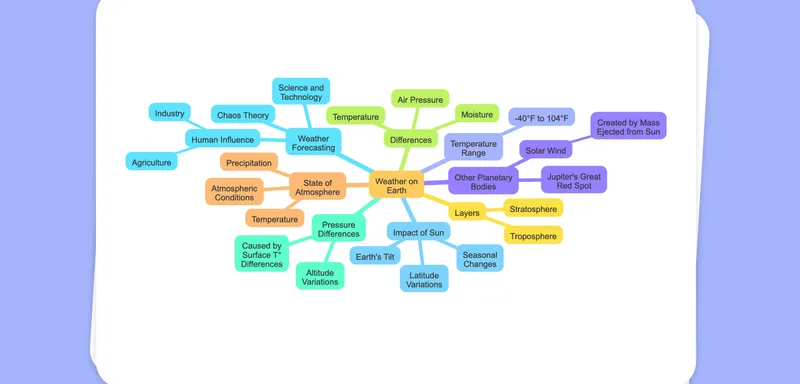
Transform any piece of text into a rich, visual mindmap that can act as a lesson template, presentation graphic, or quick-reference worksheet.
Create it with to teach
Looking to make your lesson material more engaging and interactive? With to-teach.ai, you can take any text and transform it into a clear and easy-to-understand mindmap. This visual representation of ideas helps students quickly grasp key concepts, promotes active learning, and can be imported into lesson plans, presentations, or worksheets.
Why Convert Your Text into a Mindmap?
Enhance Comprehension
By visually mapping out relationships, students gain a clearer understanding of the lesson content.Promote Brainstorming
Mindmaps spark creativity and help students see the bigger picture when brainstorming new ideas.Flexible Usage
The generated mindmap can be shared as an image, embedded into presentations, or printed for classroom handouts.Engage Different Learning Styles
Many learners are visual by nature. Mindmaps cater to this preference by highlighting connections between ideas.Fast and Intuitive
to-teach.ai does the heavy lifting: paste in your text and watch as our AI quickly organizes it into a polished mindmap.
Getting Started
Head over to the to-teach.ai platform, input your text, select the Mindmap option, and let our AI transform your ideas into a structured visual layout. If you’d like more control, you can customize node colors, labels, or hierarchical levels, making your mindmap as detailed or as concise as you need.
Frequently Asked Questions (FAQ)
Is it difficult to turn text into a mindmap with to-teach.ai?
Not at all. Simply paste your text and select the “Mindmap” feature. Our AI analyzes your content and automatically creates an organized, structured emotional center indicating how concepts relate.Can I edit the auto-generated mindmap?
Yes. You can add or delete nodes, rename them, and reorganize branches to suit your specific class requirements.What formats can I export the mindmap in?
You can easily download it as an image for use in worksheets, presentations, or online learning platforms.Will the mindmap work for any subject area?
Absolutely. Whether you’re teaching history, language arts, science, or mathematics, mindmaps can visually illustrate connections among key ideas in any discipline.How do mindmaps help my students learn more effectively?
Mindmaps promote active learning by visually highlighting relationships between concepts, fostering better retention, and encouraging student engagement.
More guides
Turn Your Image into a Mindmap
Create a mindmap as a template for your lesson or use it as a picture in a presentation or for worksheets, offering a highly visual format to map out ideas and concepts drawn from any image.
MindmapExtract Text from Images to a Mindmap
Effortlessly extract text from images with OCR and transform the content into a structured mindmap for clear visual organization and enhanced learning experiences.
MindmapTurn Your PDF into a Mindmap
Easily transform any PDF document into an interactive mindmap, perfect for lesson planning or as a visual aid in presentations and worksheets.
Mindmap