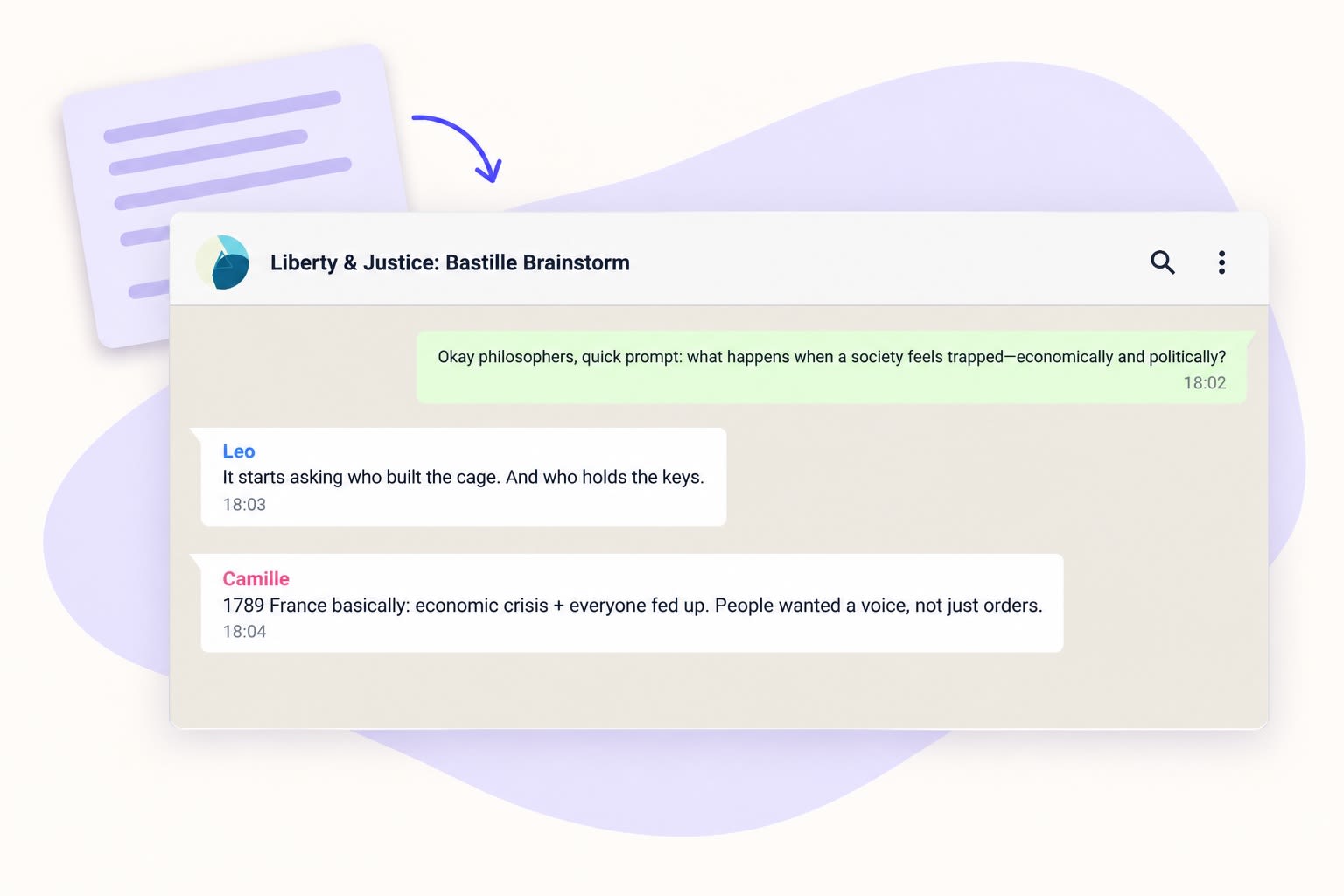
Turn your classroom text into a conversation with to teach. The Whatsapp Chat format creates a fictional exchange between several speakers. Add your material and describe the question, participants and language level. Pupils can read the messages, compare positions or write a reply of their own.
Four classroom uses for a chat
Language practice: use short messages for reading or speaking. Pupils identify who makes each point, read an exchange in roles or compose a suitable reply in the language they are learning.
Exploring perspectives: give fictional speakers different views on a question. Pupils collect the arguments and explain where the speakers disagree.
A writing prompt: end the conversation with an open question. Ask pupils to continue it with a message that uses a detail from the source to support their position.
Discussion skills: examine how a speaker asks a question, challenges an argument or responds to another person. Pupils can rewrite a message to make its reasoning clearer or its tone more constructive.
How to create the chat with to teach
Open Whatsapp Chat in Material Tools and add your passage as the source. Choose the output language. In the optional task instruction, describe the speakers, their discussion question and the language level your class needs.
For example: “Write a fictional chat between three pupils about the question in this text. Keep messages short and include different positions. Make one speaker ask for a reason. End with an open question for the class.” Create the chat, then choose the exchange you want pupils to work with.
For a lesson opening, use a question and a reply. For a longer reading activity, select several messages and ask pairs to follow one speaker’s position. Specify familiar vocabulary in your instruction when preparing material for language learners.
Create your own classroom chat
Example: turn a source detail into a discussion
The example source about the French Revolution names demands for greater participation and social justice. In the fictional conversation created from it, Priya asks:
“But is ‘participation’ the same as ‘justice’?”
Give pupils those two demands from the passage and the question. Ask for a two-sentence response: their position followed by a reason. The source supplies the demands; the question invites pupils to discuss the relationship between them.
Read the complete example chat.
The speakers and messages are invented, not historical quotations. Use the conversation alongside the source as a discussion prompt. A speaker’s additional explanation is not automatically evidence from the passage.
From reading messages to writing a reply
Pupils read the selected exchange and choose an argument they want to answer. They write their reply on paper or in your usual classroom workspace. The generated chat is reading material, not a live messaging space for the class.
Compare two replies: do they address the question and give a clear reason? Offer “I agree / disagree because …” to pupils who need a starting point, while others develop their own response.
In to teach, you can plan units and individual lessons and create materials for their phases. Place the chat between a shared reading and an individual written response. A glossary can introduce vocabulary from the same passage; follow-up questions can then focus on its content.
WhatsApp chat
From your own text, a PDF, a YouTube video, a website or an image.
Create it with to teachMore guides
Turn a PDF reading into a classroom chat pupils can check against the source
A short PDF reading can become a conversation that gives pupils something to question. In to teach, add the document as a source, choose the Whatsapp Chat format and ask for a discussion around one important idea. Keep t
WhatsApp chat
Turn Your Audio into an Interactive WhatsApp Chat
Transform your audio files into a fun and engaging WhatsApp-style chat conversation, making your lesson content more dynamic and interactive.
WhatsApp chatTurn Your Scraped Text into an Engaging WhatsApp Chat
Turn any scraped website text into a lively WhatsApp Chat format, engaging learners through dynamic role-play and conversational interaction.
WhatsApp chat