Fill the gap2 min read
Transform Your Text into a Fill-the-Gap Task with to-teach.ai
Create an interactive fill-the-gap activity from your own text, enhancing comprehension and engagement through targeted blanks.
Create it with to teach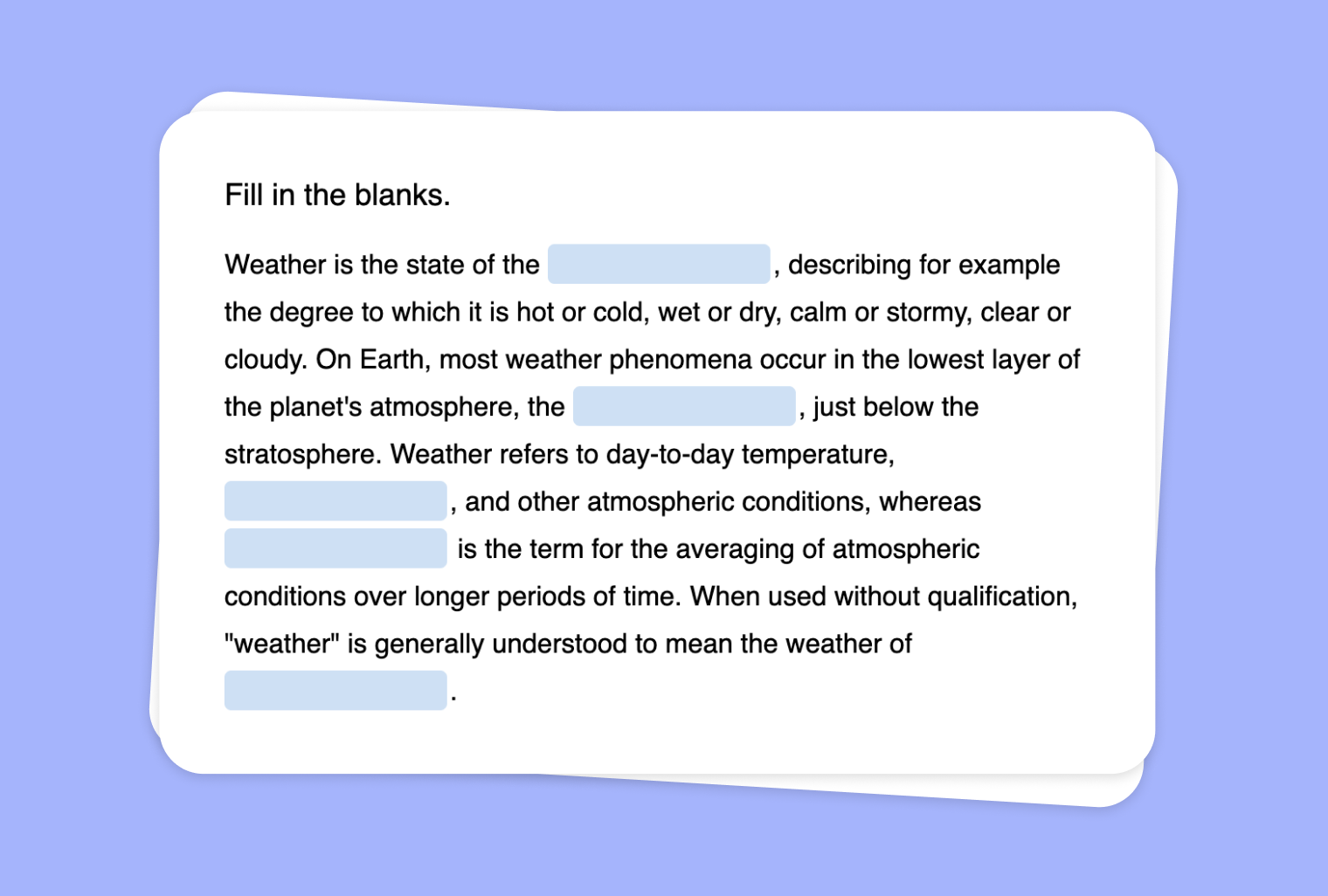
Are you looking to make reading assignments more interactive and student-centered? With to-teach.ai, you can easily transform any text into a Fill-the-Gap task. Simply paste your content, and our AI will automatically identify key terms or concepts to be replaced with blanks, creating a dynamic learning experience for your class.
Why Use a Fill-the-Gap Text?
Enhance Reading Comprehension
Requiring students to actively engage with the text makes them more attentive to vocabulary, context, and key ideas.Improve Retention
By seeing how words and phrases fit into a larger narrative, students are more likely to remember important information.Adaptive Learning
Adjust the difficulty level by selecting the words or phrases you want to remove, catering to different skill levels in the same classroom.Immediate Feedback
Automated checks help students understand their mistakes right away, promoting better self-assessment.Versatile Application
Works with any subject—whether you’re teaching language arts, science, history, or foreign languages.
Getting Started
To begin, simply upload or paste your source text into to-teach.ai. Our AI will scan your text for key terms, context phrases, and relevant keywords. You decide which words to turn into blanks, and within seconds, you’ll have a customized Fill-the-Gap exercise ready to share with your students. You can fine-tune difficulty levels, offering supportive hints, or create advanced tasks to challenge higher-level learners.
Frequently Asked Questions (FAQ)
How do I transform my text into a Fill-the-Gap activity?
Upload or paste any text directly into to-teach.ai, choose the Fill-the-Gap option, and let our AI highlight the ideal words or phrases for removal.Can I control how many blanks appear in the final exercise?
Yes. You can easily select or deselect the terms you want to remove, adjusting the number of blanks to suit the complexity you desire.Is this suitable for varying language abilities or subjects?
Absolutely. By modifying which words are blanked out or providing hints, you can tailor the activity for younger students, language learners, or advanced readers.Does the platform provide instant feedback to students?
Yes. Once students fill in the gaps, they receive immediate feedback, allowing them to identify and correct mistakes right away.Can I use Fill-the-Gap for specialized terminology in science or other fields?
Definitely. Simply choose the subject-specific vocabulary you want to focus on, and to-teach.ai will make it part of the Fill-the-Gap exercise, reinforcing specialized learning.
Fill the gap
From your own text, a PDF, a YouTube video, a website or an image.
Create it with to teachMore guides
Create a Fill-the-Gap Task from Your Image
Generate a unique fill-the-gap activity from any image, transforming visual clues into engaging text exercises for your students.
Fill the gapTurn Your PDF into a Fill-the-gap Text
Create a fill-the-gap task from your PDF document, inviting learners to actively engage and recall key concepts through structured text interactions. Perfect for vocabulary building, comprehension checks, and test prep.
Fill the gapCreate a Fill-the-Gap Task Based on Your YouTube Video
Leverage any YouTube video to create an interactive fill-the-gap exercise and enhance listening comprehension, vocabulary, and student engagement with to-teach.ai.
Fill the gap